
How to create and set up Binance API key
In this article, we will show you how to create, configure, and connect your Binance API key to the QubitRise platform.
QubitRise is a trading platform that allows you to work with various cryptocurrency exchanges from a unified interface with access to additional tools unavailable on the exchange.
All trading operations are created and processed using an exchange API key unique to every user. An API key is a safe and reliable way to use a platform because it does not give access to personal data and prevents any funds management (withdrawals & deposits).
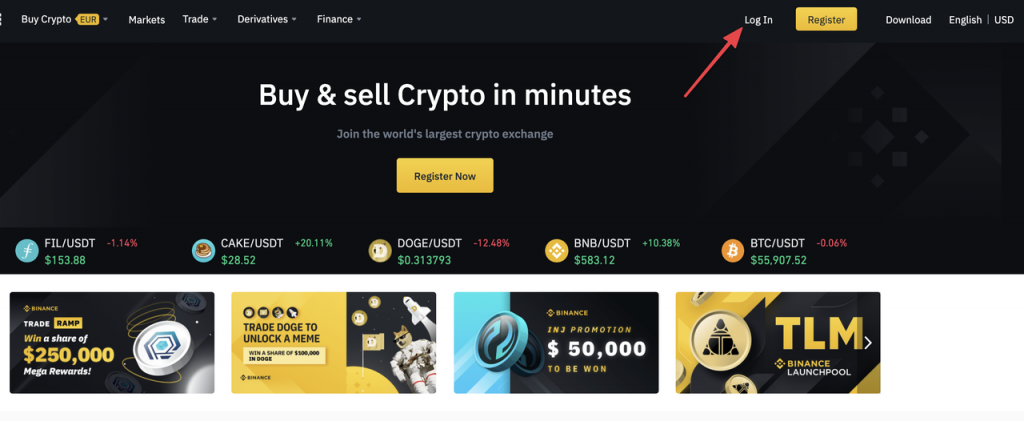
1. Log in to Binance
Log in to your Binance account or create a new one.
2. Go to the API Management page
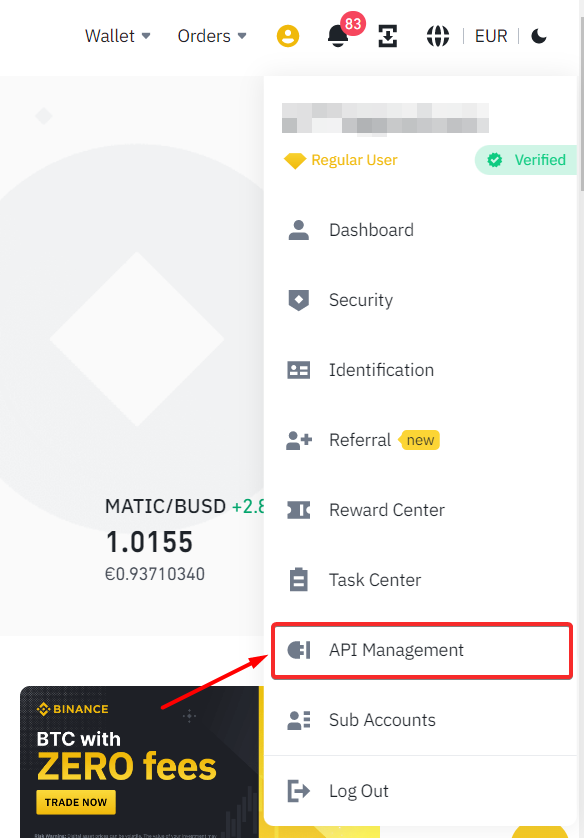
From your account settings (top-right corner), navigate to the API Management page.
3. Create an API key
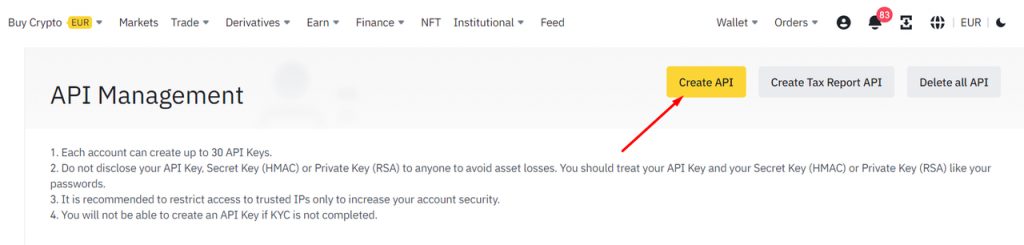
Click on [Create API] to create a new API key for the QubitRise platform.
4. Choose the API key type
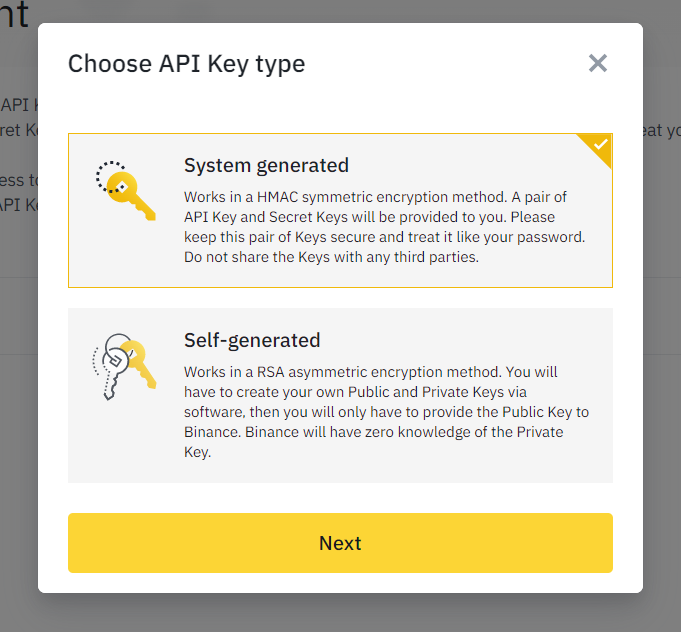
Select the “System Generated” type of API key and proceed by pressing [Next].
5. Label your API keys
Give your API key any name (it is your personal choice), so you can easily understand that this key is connected to your QubitRise account.
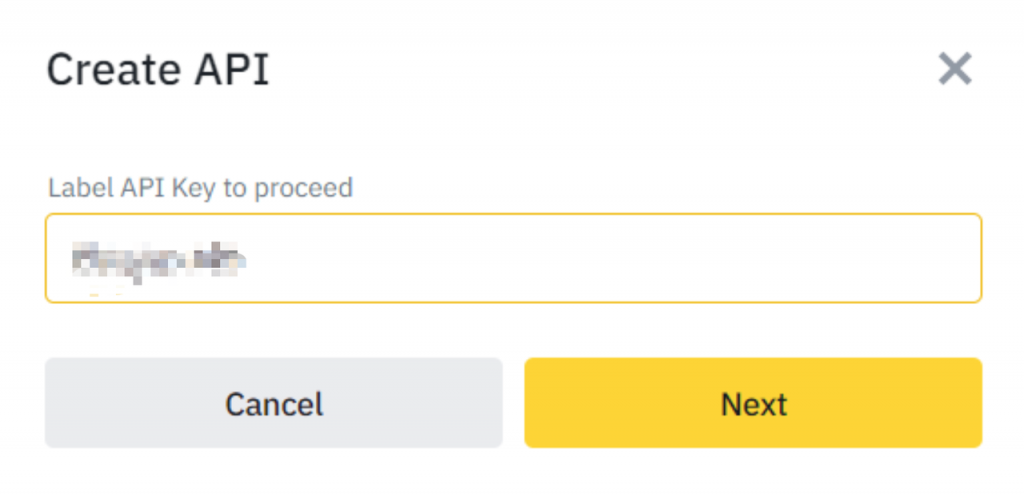
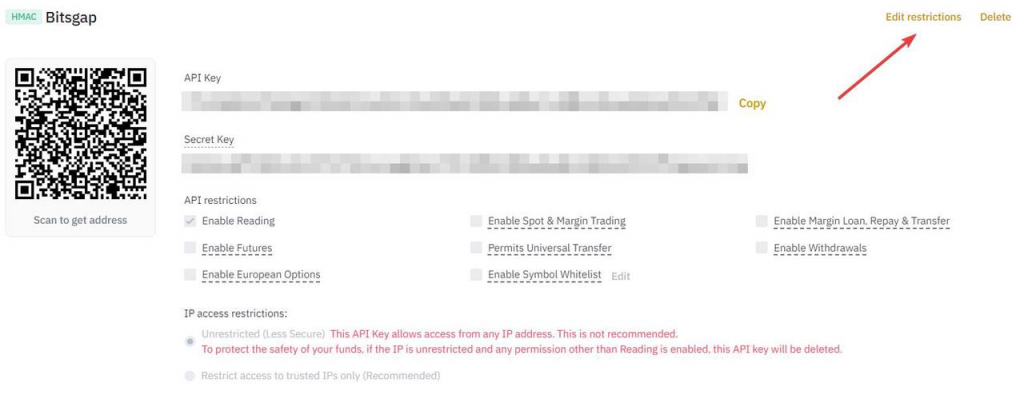
6. Match API key restrictions
Now you need to edit the restrictions of your API key – this will allow our platform to process your trading activity on your Binance account. Please, click [Edit restrictions] as shown below and follow the further instructions.
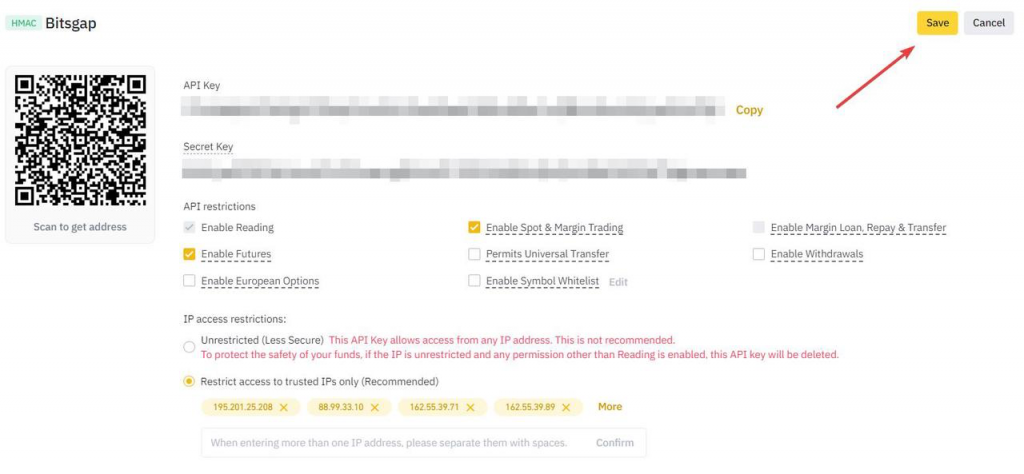
Here is the list of required permissions:
A. IP Access restrictions: Restrict access to trusted IPs only or choose Unrestricted.
B. Enable Reading on (active by default).
C. Enable Spot & Margin Trading on.
D. Enable Futures on (optional).
E. When ready, click [Save].
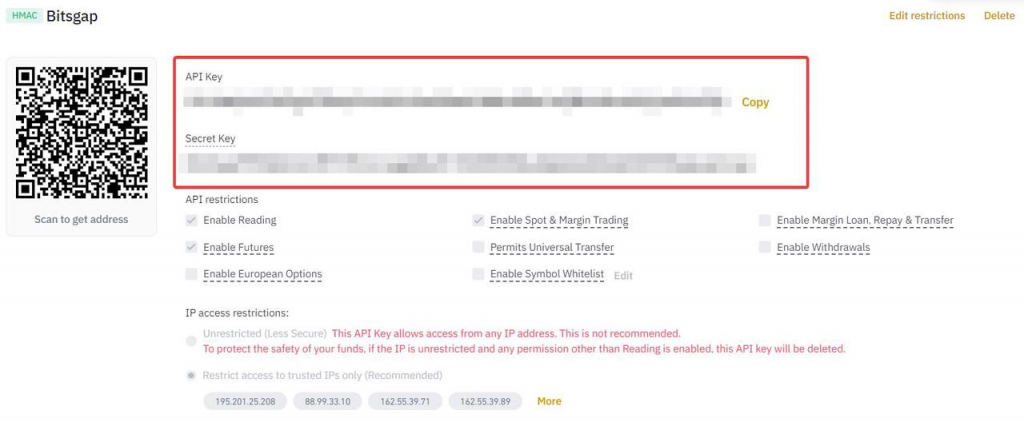
7. Copy your API key and Secret key
Make sure to copy your API key and Secret Key somewhere safe.
8. Go to QubitRise > Exchange page
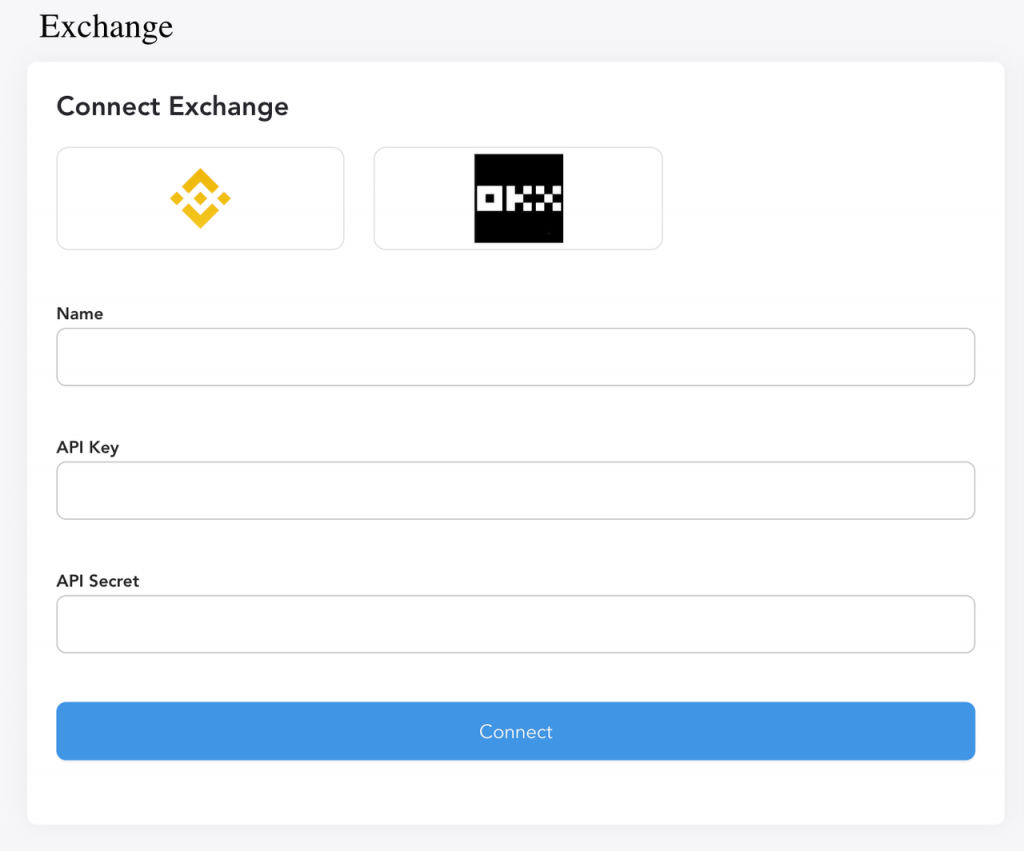
Log in to your QubitRise account, go to the Exchange page, and click the [Connect Exchange] button to continue.
A. Choose Binance, then ManualConnect. B. Paste your API key.
C. Paste your Secret key.
D. Click [Connect].
9. Connection Check
If everything is done correctly, you will see Binance added to the list of your connected exchanges with the Connectedstatus and the trading balance available on your account.
❗ Binance has updated its API services. Effective from August 9, 2021, only users who have completed intermediate verification can create new API keys. For more information, please refer to the announcement.